
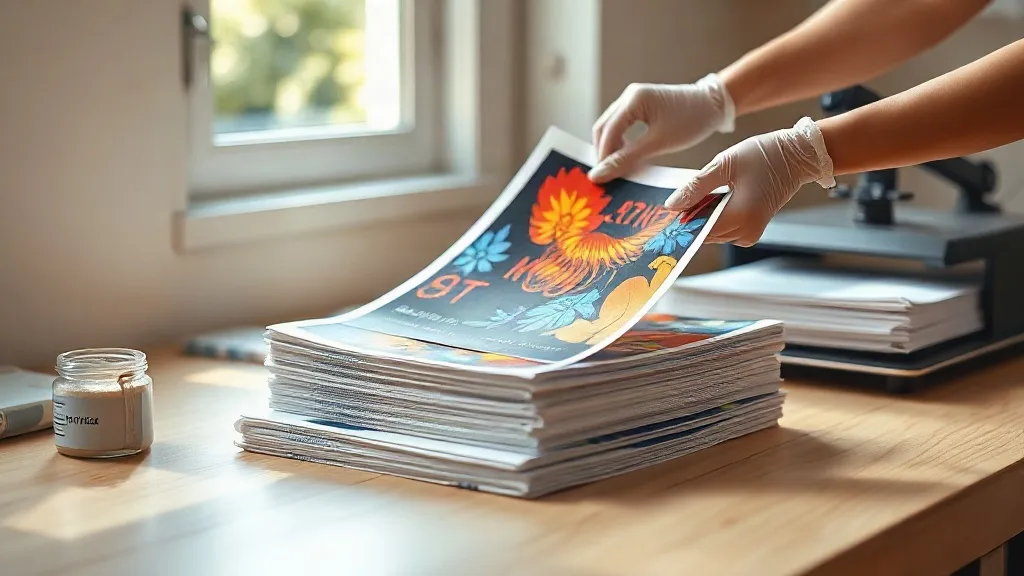
You send a design, you wait, a roll of film arrives, and then you press it onto a shirt and watch the edges lift or the colors go muddy. Anyone who has ordered custom dtf transfers has lived through at least one of those moments. The frustrating part is that the failure rarely starts at the press. It starts earlier, in the files you sent, the questions you didn't ask, and the assumptions both you and your printer made about what "ready to print" actually means.
This guide is for the person on the buying side of the transaction: the shop owner, the Etsy seller, the team manager ordering twenty hoodies for an event. It walks through what to specify before you order, how to read a proof without guessing, and how to spot a print that will fail before it ever touches a heat press. If you have been ordering on instinct and patching problems after the fact, this is the part of the process worth slowing down for.
Start With the Garment, Not the Artwork
Most buyers open with a design file and work backward. That order is backwards. The garment decides more about the final print than the artwork does, because fabric weave, color, stretch, and coating all change how dtf film behaves once it is pressed.
A 100% cotton tee with a tight knit is forgiving. A poly blend with a smooth, slightly slick surface can look great but may need a lower press temperature so the fabric doesn't glaze. A ribbed cuff or a stretchy performance shirt will pull at the print every time it moves, which means your transfer needs to be sized and pressed with that movement in mind. If you are ordering for a mixed batch of garments, tell your printer that up front instead of sending one file and hoping it works everywhere.
Questions worth answering before you order
- What exact fabric and blend is each garment? Not "black hoodie" but the fiber content and weight.
- Is the surface coated, brushed, or smooth? Fleece and brushed interiors behave differently from flat jersey.
- Will the print sit on a seam, a pocket, or a curved area?
- Does the garment need to stretch in daily use, or is it mostly decorative?
None of this is bureaucracy. A printer who knows you are pressing onto a coated polyester jacket can adjust film choice or warn you about adhesion before you commit to a hundred units.
Prepare Files Like You Mean It
File problems are the quiet killer of a good order. A design that looks crisp on your monitor can arrive at the printer with soft edges, stray white pixels around the artwork, or a background layer that shouldn't be there. On a screen, a 72 dpi image looks fine at thumbnail size. On a 12-inch chest print, it looks like a watercolor accident.
Send vector files when you have them, and high-resolution raster files when you don't. Aim for artwork that holds up when scaled to the final print size, not the size it happens to be saved at. Clean up your edges, remove any hidden layers, and flatten anything you don't want printed. If your design has fine detail like small text or thin lines, mention it. Those elements are where DTF printing either shines or struggles, and a good printer will tell you which side of that line you are on.
The white layer is not automatic
DTF printing lays down a white ink layer under the color so the design shows up on dark garments. That white layer is a design decision, not a default. If your artwork has semi-transparent areas, gradients, or soft shadows, the way the white is generated changes the result. A gradient that fades to nothing on a black shirt may end up with a visible white halo if the underbase isn't handled carefully. Ask how your printer generates the white layer and whether they preview it before printing. Buyers who skip this step often get a print that looked perfect on white paper and strange on a navy tee.
Read the Proof, Don't Just Approve It
Proofs exist to catch mistakes while they are still cheap. A proof should show you the design at final print size, on the actual garment color if possible, with any white underbase visible. Look for these things before you approve:
- Is the design the size you expected? Measure it against the garment, not against your screen.
- Are thin lines and small text still legible at final size?
- Does the color match what you intended, especially on dark fabric?
- Is the white layer visible where it shouldn't be, or missing where you need it?
If a proof looks off, say so before production. Printers would much rather adjust a file than reprint an order. The buyers who get consistent results are the ones who treat the proof as a checkpoint, not a formality.
How to Judge Quality When the Box Arrives
When your transfers land, do a test press before you run the whole batch. Press one transfer onto a scrap garment or a spare blank of the same fabric. Check the peel while the film is still warm, then inspect the edges, the color density, and the hand feel. A good print sits flat with clean edges and no visible white fringe. If the edges curl or the print feels thick and rubbery, something in the film, powder, or press settings needs attention.
Then wash it. A single wash test tells you more about durability than any spec sheet. Follow the care instructions you plan to give your customers, and check for cracking, lifting, or fading. If the print survives a wash cycle and still looks sharp, you have a transfer worth reordering. If it doesn't, you have caught the problem on one shirt instead of fifty.
Red flags to watch for in a supplier
A supplier who can't tell you the film width options, the powder type, or how they handle white underbase generation is a supplier who is guessing. You don't need a chemistry lecture, but you do need someone who can answer basic questions about how your order will be produced. If you are searching for dtf transfers near me and the only information available is a price list, keep looking. Price matters, but a cheap order that fails on press costs more than a fair order that works.
Match Order Size to How You Actually Work
Custom transfers come in gang sheets, rolls, and single designs. The right format depends on your workflow, not on what looks like the best deal per square inch. If you print the same design repeatedly, a roll or a large gang sheet makes sense. If you take one-off orders with varied artwork, smaller sheets let you avoid waste and keep your inventory flexible.
Think about storage too. Film doesn't like heat, humidity, or direct sunlight, and a roll that sits in a hot back room for months can develop problems before it ever reaches the press. Order in quantities you will actually use within a reasonable window, and store what you don't use in a cool, dry place. Buyers who chase bulk discounts and then let film sit are often the same buyers who blame the printer when a print fails months later.
Build a Repeatable Ordering Habit
The difference between a shop that fights its transfers and one that doesn't is rarely talent. It is a short, boring checklist that gets followed every time. Garment details confirmed. Files checked at final size. White layer previewed. Proof approved with actual measurements. One test press before the batch. One wash test before reordering. None of these steps take long, and together they eliminate most of the surprises that make custom printing feel unreliable.
Once that rhythm is in place, ordering becomes fast. You know what your printer needs, you know what to check, and you know which suppliers deliver consistently. That is the real goal: not a perfect first order, but a process that makes every order predictable.
Frequently Asked Questions
How many transfers should I order for a first run?
Order a small test batch first, even if you have a larger job waiting. Press and wash a few before committing to the full quantity. The cost of a small test is almost always lower than the cost of reprinting a large order that fails on press.
Can I use the same file for light and dark garments?
You can, but the white underbase needs to be handled differently. On light garments the white layer may barely matter, while on dark garments it determines how the colors read. Ask your printer to preview both versions before production.
What file format should I send for custom DTF transfers?
Vector files are ideal because they scale cleanly. If you only have raster artwork, send the highest resolution version you have and make sure it holds up at final print size. Avoid sending screenshots or images pulled from social media.
Why did my print look fine on press but crack after washing?
Cracking usually points to a press or adhesion issue rather than the artwork. Temperature, pressure, time, and peel timing all affect how well the print bonds. A wash test on a single sample will tell you whether the problem is consistent before you press the rest of the order.
Is it cheaper to order transfers in bulk?
Per-unit cost often drops with larger orders, but only if you will use the film before it degrades. Factor in storage conditions and how quickly you cycle through inventory. A modest order you use fully beats a bulk order that sits and loses quality.